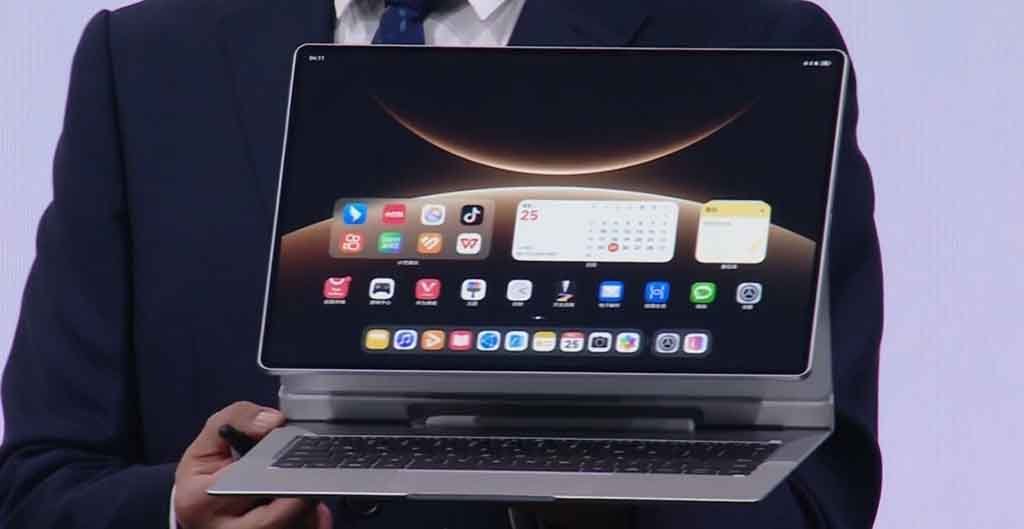
Huawei is pushing a new software update for the MatePad Edge 2-in-1 tablet with feature additions, including a refreshed screenshot capability.
The HarmonyOS version is 5.1.0.291 with a downloadable package size of 776.49MB. According to the changelog, the update adds new themes featuring an animated puppy, panda, and kitten that interact through the lock screen.
Users can now hide the Celia keyboard status bar in the PC mode. Tap on the keyboard icon in the lower right corner of the screen to turn the status bar display on or off.
It supports direct editing of screenshots captured in PC mode, allowing you to use features such as adding text and cropping. Some pop-up windows now display system virtualization data, and the update also smoothens the experience with keyboard shortcuts.
The MatePad Edge now enables the AI assistant’s wake-up command customization with personalized words. Additionally, Huawei Browser now supports background audio and video playback in PC mode.
The update incorporates optimizations for the game in some situations that have not been performing well previously. Furthermore, the system apps are seeing some new improvements along with the January 2026 security patch to enhance the overall device security.
The key attraction to this device is its 2-in-1 use case enabled by a 14.2-inch flexible OLED screen. The display has 3.1K (3120×2080 pixel) resolution and 94% screen ratio with 1,000 nits peak brightness.

Users can turn this tablet into a PC with one tap of the button, and it will transform the software experience into a PC-style interface. The tablet has a micro-pump liquid cooling temperature control unit for optimum cooling.
The MatePad Edge features a 50MP rear main camera alongside an 8MP wide-angle macro camera. The front side has a 32MP camera that provides high-resolution selfies and video calling capability.
The tablet packs a 12900mAh battery that could be recharged with a whopping 140W superfast charger and 40W reverse charging support.

The post 2-in-1 Huawei MatePad Edge tablet gets new update with refreshed screenshot feature appeared first on Huawei Central.