HyperOS 3.0 welcomes several personalization features that make your daily life tasks easier and more convenient, but have you ever tried the fingerprint shortcuts yet? It could be a hidden capability for you, but it plays wonders when it comes to multitasking or productivity.
Yes, Xiaomi phone users can access an impressive feature right from the lock screen – HyperOS 3.0 fingerprint shortcuts. While the feature also existed in MIUI, the company enhanced it further with its self-developed operating system.
As the name suggests, the fingerprint shortcuts enable users to quickly access certain apps and functions like a QR code scanner, calculator, the search bar, and more through the lock screen.
Just press the fingerprint scanner on the lock screen, and it will show a menu in a semi-circle pattern. You can tap on any of the appeared icons and lead to the respective function or app page directly.
The feature’s description reads:
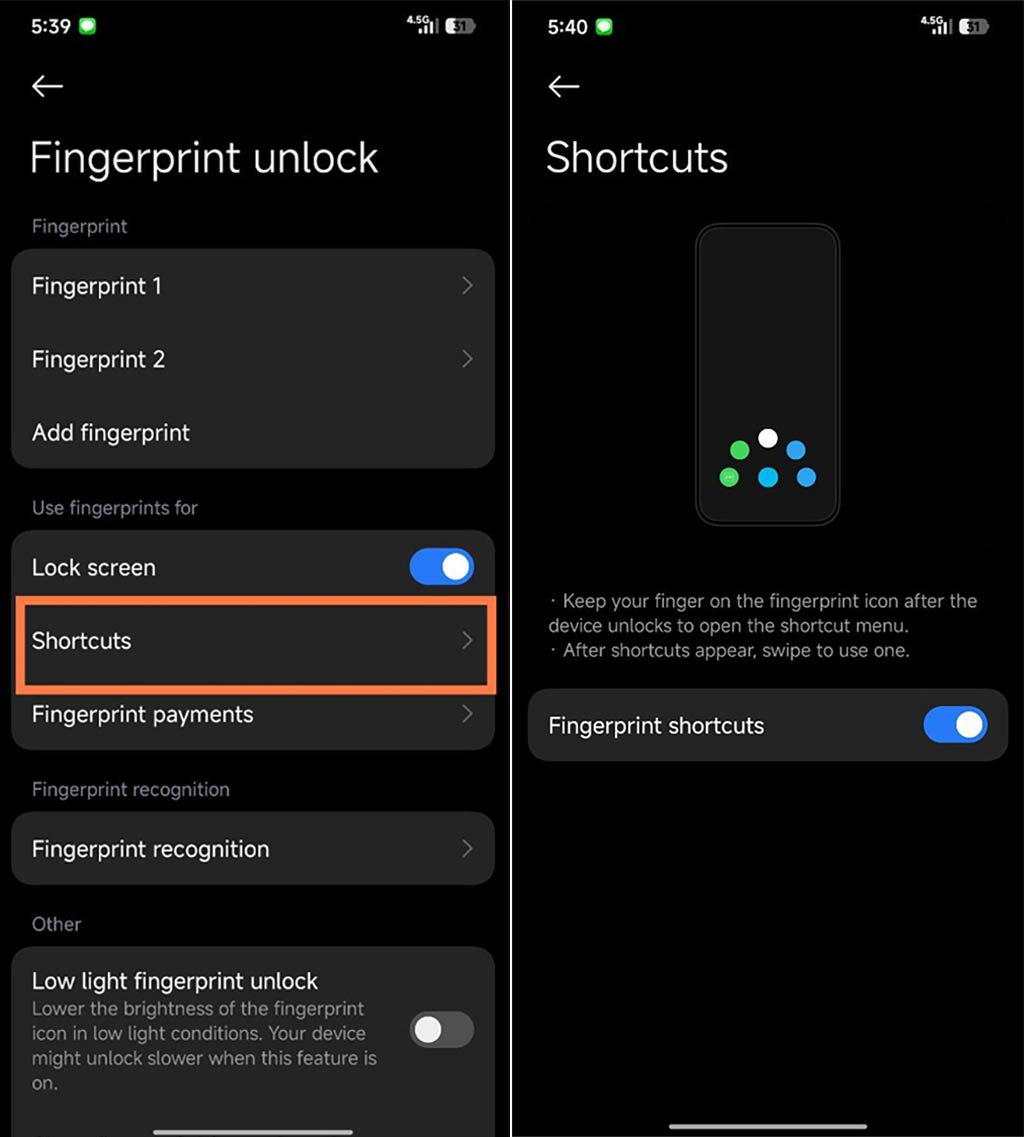
“Keep your finger on the fingerprint icon after the device unlocks to open the shortcut menu. After shortcuts appear, swipe to use one.”
How to access? Xiaomi phone users can visit the Settings app. Now just scroll down and select the Fingerprint Unlock Menu. Search for the term shortcuts and tap on it.
Now turn on the toggle of the feature, and it’s done! Remember, you need to hold your finger on the lock screen for a second or two to open the new shortcuts menu.

(Image Credits: Xiaomi)
The post Have you tried Xiaomi HyperOS 3.0 fingerprint shortcuts? appeared first on Huawei Central.