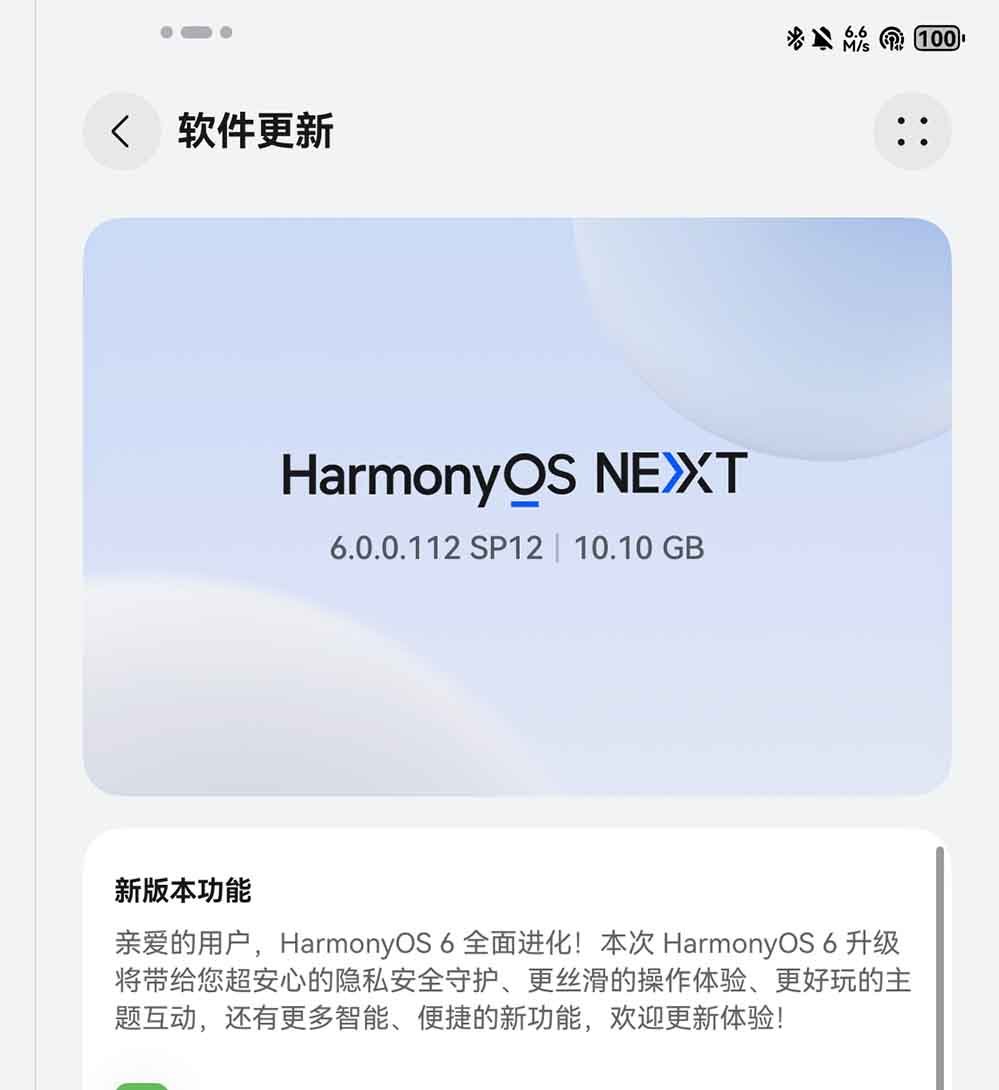
Huawei has released HarmonyOS 6 beta software update for two tablets – MatePad Air 2025 and MatePad 11.5 S 2025 versions, bringing the latest features. According to the changelog, the update comes with version 6.0.0.112SP12 for both tablets. Below, you can check the Huawei MatePad Air and MatePad 11.5 S models eligible for this HarmonyOS 6 beta campaign.
- MatePad Air 2025 (LRT-W00)
- MatePad Air 2025 (LRT-W20)
- MatePad Air 2025 (LRT-W30)
- MatePad 11.5 S 2025 (SLG-W10)
- MatePad 11.5 S Smart Edition 2025 (SLG-W50)
- MatePad 11.5 S Active Edition 2025 (SLG-W10)

HarmonyOS 6 beta features
Mood Theme
On the lock screen, you can interact with the energetic mood emoji by clicking on it, and you can also long-press the emoji to change more styles.
Fluffy Pom-Pom Theme
Using the “A Day in the Life of a Delicate Pom-Pom” theme, after clicking the Little Star Ring icon on the lock screen, you can trigger fun and interactive animations by voice or by entering a command (upgrade the theme app to version 1.0.23 or above, open the theme app > search for the corresponding theme).
Chubby Hands Theme
Clicking the “GAME” button on the lock screen will take you to the “Rock, Paper, Scissors” game screen. You can win a random outfit to dress up Little Chubby Hands by playing against the AI (upgrade the theme app to version 1.0.23 or above, open the theme app > search for “Little Chubby Hands theme”).
Better
Efficient Interaction
Users can enjoy a more diverse, efficient, and convenient interactive experience through common gestures such as tapping, pressing, swiping, dragging, knocking, circling, grabbing, touching, and pinching, as well as a variety of convenient operations.
Remote protection
You can finely manage device usage time, and issue reward points to children to redeem for more usage time, protecting children’s healthy device use (children’s devices also need to support this function).
Smarter
Image Gallery
AI-powered one-click video creation allows users to select multiple images and intelligently combine camera movements and music to generate videos. It also supports generating dynamic effects for suitable still photos, bringing photos to life as vivid memories.
Memorandum
Click the “Write Helper” icon in the Memo toolbar to activate the AI-powered writing assistant. You can use various templates and also use commands to write, polish, and expand your copy.
Recorder
1. Added real-time transcription function, which supports simultaneous transcription of audio recordings into text and automatically distinguishes the identities of multiple speakers.
2. A new intelligent summary function has been added. After the recording ends, a summary will be generated based on the transcribed text to extract key information and to-do items.
Safer
AI-powered fraud prevention
During video calls, the system can intelligently identify whether the other party has used AI face-swapping and alert you to help you avoid risks.
Family-based fraud prevention
When family members receive scam calls, the system will alert you. You can also remotely hang up risky calls for your family to prevent fraud. High-risk numbers you mark will be automatically added to the family blacklist, helping your family block risks and protect their mobile phone security.
Encrypted Sharing
It supports encrypted sharing of files, pictures, and videos, and authorizes specific users to access them, bringing a super secure sharing experience.
AI Data Privacy Protection
HPIC, a personal intelligent computing platform, ensures that AI data on the cloud is not stored, leaked, or misused, making cloud-side AI data processing as secure as edge-side data processing, thus safeguarding your data privacy.
Smoother
Overall performance
The overall performance and battery life have been further improved, the operation is smoother, and the battery life is longer.
Smooth Application Performance
- Delivers an ultra-smooth experience with instant app launch, instant page loading, and instant content loading.
- Faster app installation, more convenient QR code scanning, and smoother, more stable split-screen operations such as video shopping.
- Huawei’s Ark Engine has been deeply optimized for some top games, resulting in a smoother and more sustained gaming experience.
The post Huawei releases HarmonyOS 6 beta for MatePad Air tablet appeared first on Huawei Central.