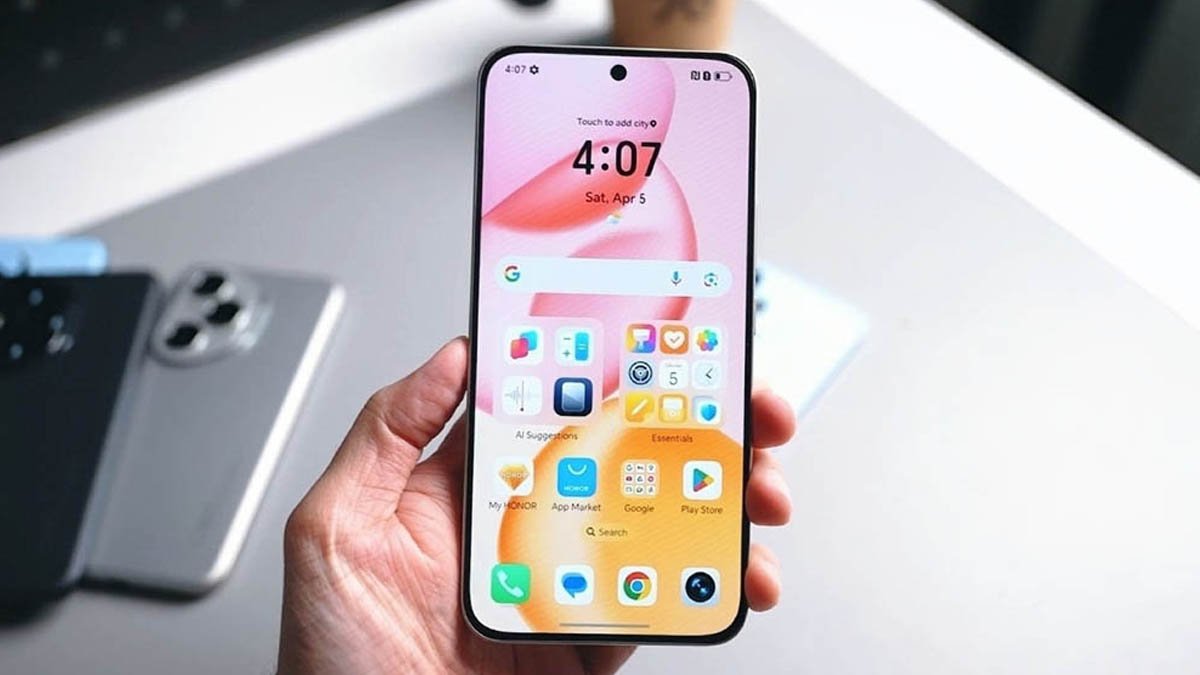
April is about to begin and ahead of the new month, Honor has unveiled what new features MagicOS 10 will be bringing for its devices, including lock screen widgets, fingerprint animations, and more. The company will unlock various customizations for its handsets in the next month!
Honor continues to improve its software systems for MagicOS phones and tablets. The tech giant not only enhances existing functionalities of the devices but also introduces new changes that provide a more convenient experience to users.
In the latest edition, Honor has revealed what interesting changes its new MagicOS 10 upgrade will bring in April counting useful widgets, custom fingerprint animations + styles, and more.
Before that, let’s take a look at the compatible models that will receive the upcoming feature update. The list will tell you if your device is eligible for the new offerings!
Eligible Models
1. Foldable Phones: Magic V5, Magic V3, Magic Vs3. Magic V2, Magic Vs2, Magic Vs, Magic V Flip 2, Magic V Flip.
2. Flagship: Magic 8 series, Magic 7 series, Magic 6 series, Magic 5 series, Win series, GT series.
3. Digital Series: Honor 500 series, Honor 400 series, Honor 300 series, Honor 200 series, Honor 100 series, Honor 90 GT, Honor Power series, Honor X70, Honor X60 GT.
4. Tablets: MagicPad 3 Pro, MagicPad 3, MagicPad 2, Tablet GT 2 Pro, Tablet, GT Pro, Tablet GT, Tablet V9, Tablet X9 Pro, Tablet X9, Tablet 10 Pro, Tablet 10.
Coming to the features, the new update will make app launches far better and smoother. It will allow users to customize lock screen widgets, normal transition effects, and fingerprint styles.
Besides, the company will add amazing changes to make the home screen look more attractive and neat. You can check all of these features in the update below.

(Image Credits: Honor)
MagicOS 10 April 2026 Upgrade: Widgets, Animations, and more
- Customized lock screen widgets: Add widgets to your lock screen for one-click access to frequently used features, offering both convenience and personalization. (Some apps require the latest version.)
- Customized fingerprint styles: Added new support for custom fingerprint styles, allowing you to freely combine fingerprint icons and fingerprint animations to create your own unique unlocking experience.
- New customizable transition effects settings allow you to adjust the smooth, stable, and efficient styles when launching/exiting the app to your liking, creating a personalized and fluid experience.
- Optimized the real-time blur effect of app startup/exit transition animations, enhancing the sense of space and providing a smoother transition experience, making startup and exit operations more fluid.
- Added a new feature to automatically fill in the gaps between the home screen icons, resulting in a neater layout.
- Added support for one-click creation of folders across multiple apps, and long-pressing a folder on the home screen allows for one-click unpacking, making folder organization more convenient.
- Added support for batch uninstallation and removal of apps, making the home screen management more efficient.
- Added a new status bar skinning feature, allowing you to freely change the status bar icon style and give your phone interface a unique look.
YOYO Features
- YOYO suggests that the new “Smart Capsule” feature now supports meal pickup code reminders, providing users with a smart and convenient meal pickup experience.
- YOYO now features a new wake-up screen feature that allows users to select screen content with their fingertips to ask and answer questions, select text to copy and translate, and use AI to recognize and interpret images, improving ease of use and usability.
- The screenshot feature now includes an “Ask YOYO” feature, which allows users to wake up YOYO with a single click and upload screenshots for easy content recognition, Q&A, and other operations.
- YOYO’s new photo-to-document feature allows users to convert images into editable Word, Excel, or PPT documents with a single click. It further maintains the accuracy as well as structural integrity of the original text, providing a “what you see is what you get” experience and making mobile office work more convenient and efficient.
- The new YOYO Notes feature supports simultaneous audio and text recording during online/offline meetings. Moreover, it can assist with Q&A and provide intelligent reminders during the meeting, and intelligently generate meeting minutes afterward.
Interconnectivity Features
- The new Mac cross-device file management feature allows you to easily browse, download, and manage pictures, videos, and other files from your phone on your Mac, eliminating cumbersome transfers and providing a highly efficient and convenient experience.
- The new iPhone hotspot feature allows Honor phones to connect to their own personal hotspot with a single click on the iPhone after the phone and iPhone are connected, eliminating cumbersome setup and making internet access more convenient.
- The new Mac extended screen feature allows foldable screens or tablets to instantly transform into a mirrored or extended Mac screen, enabling one screen for meetings and another for document processing, making dual-screen collaborative work more efficient.
- The premium bass version now supports 29 new apps, including free short dramas from Red Fruit, CCTV News, and Valorant.
- The sidebar now includes several new AI services, such as music recognition, AI subtitles, Honor Any Door, and YOYO Notes, making your daily tasks more convenient and efficient.
- Honor Smart Space: Now supports the creation and management of multiple pet health records, supports 24-hour AI-powered pet consultations, and provides pet health reports and treatment suggestions to protect your beloved pet’s health.
- Foldable free screen optimization: When three apps are displayed in split screen, the apps on both sides of the folded screen will have their app icons displayed, making the apps easily identifiable; the app bar at the bottom of the desktop supports displaying recently opened apps in split screen combination, and the split screen display can be restored with a single tap.
- Honor 400 series is compatible with AI color tracking.
The post MagicOS 10 to welcome new widgets, fingerprint animations in April appeared first on Huawei Central.