Honor is rolling out a new MagicOS 10 update with the version 10.0.0.127 that refreshes the normal screenshot and navigation features with a new fun tweak. The firmware is being released in batches for eligible models and will reach them soon.
MagicOS 10.0.0.127 version brings new enhancements for the gallery and camera. It has also introduced some new features for every segment of the device. The company released it first for the Magic 8 smartphones.
Although Honor R&D Engineer – Cao Gong today revealed more features related to screenshots and navigation that are tagged with the new Honor MagicOS 10 update.
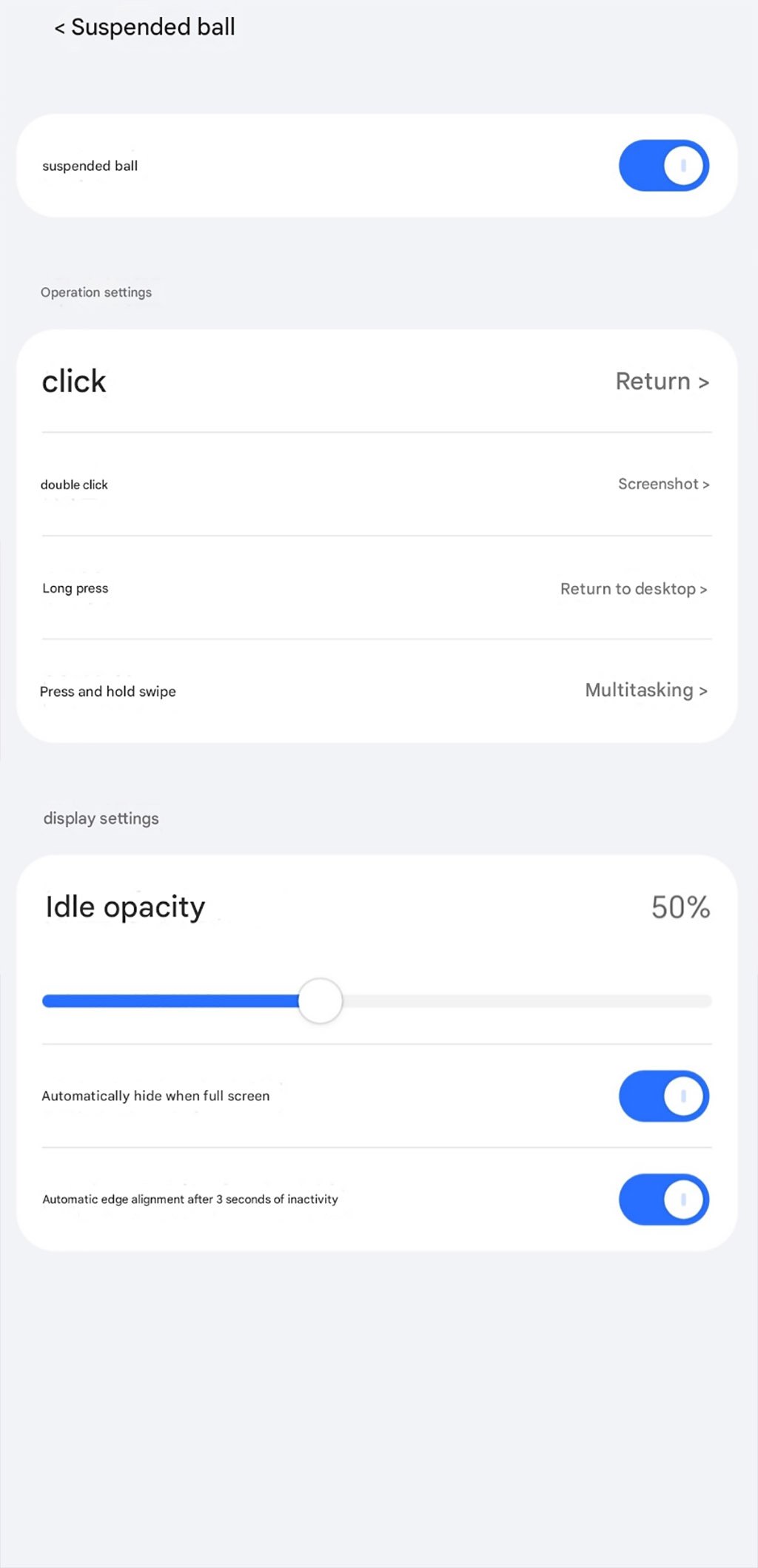
The first change is that Honor has upgraded the navigation feature in the new firmware. Instead of “floating navigation”, users will now see a new label – floating ball.
Interestingly, this upgrade not only brings a new name but also enables you to customize the floating ball click with long press or other interactive gestures. Just visit Settings > Accessibility > Floating Ball, and choose the options.
Further, the executive mentioned that the company has added a special screenshot tool to the Floating Ball section, easing accessibility. He also revealed how users can utilize multiple ways of capturing screenshots.

(Image Credits: Honor)
Types of Screenshot in MagicOS 10 phones
- Screenshot using combination keys: Press the power button and volume down button simultaneously, and the screen will automatically capture the current frame.
- Screenshot in Control Center: Swipe down from the top right of the screen to open Control Center, and tap the screenshot icon to take a screenshot.
- Screenshot with air gestures: After setting it up, simply make the corresponding gesture in the air to take a screenshot.
- Three-finger screenshot: Simply tap the screen with three fingers to take a screenshot.
- YOYO Screenshot: Tell YOYO to start taking screenshots.
- Floating ball screenshot: Added the ‘screenshot’ feature to the newly launched Floating Ball series of functions.
The post New MagicOS 10 update refreshes screenshot, navigation features appeared first on Huawei Central.