Huawei Mate and Pura smartphone users have been dealing with a nasty alarm clock issue, and in case you have been looking for its fixes, here’s good news! The company has resolved the bug with the new HarmonyOS 6.0.0.120 software update.
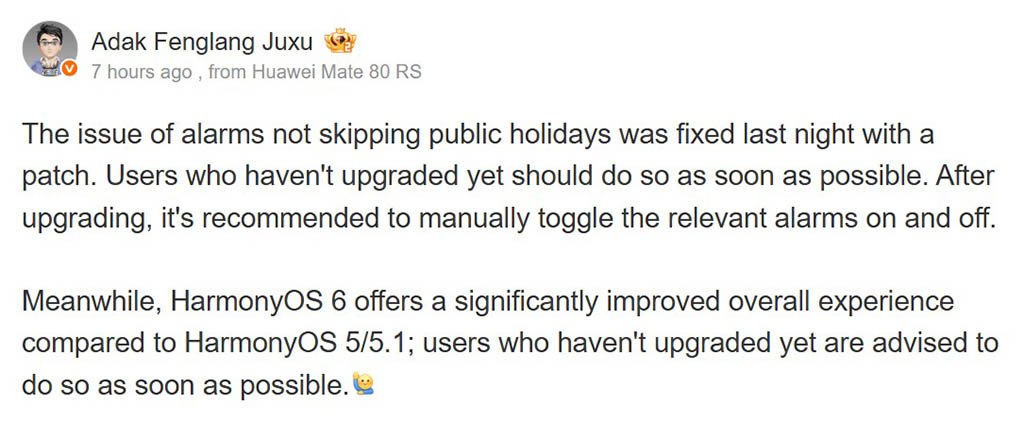
Even though the company hasn’t mentioned any improvements or fixes for Huawei phones, a tipster revealed that the new update resolves an alarm clock issue.
Users can schedule their alarm clocks as per working days and holidays. Besides, alarm clocks can link to the Calendar and skip public holidays accordingly.
But in the latest bug, alarm clocks were not skipping statutory holidays. Imagine how it would feel when you know the next day is a holiday, but have to wake up early in the morning due to a glitch in your smartphone alarm clock?
Gladly, Huawei has fixed this problem with the HarmonyOS 6.0.0.120 update. The changelog doesn’t show any add-ons or fixes, but only this statement:
“Dear user, this update optimizes the user experience in some system scenarios, and we recommend that you update.”
According to the tipster, users should upgrade to the new software patch as soon as possible to get rid of the nasty alarm clock issue. Note that you have to manually toggle the relevant alarms on and off to make the fix actually work for you.
Once re-enabled, the alarm clock will work efficiently without any issue or unnecessarily ringing on an off day. The new HarmonyOS update is rolling out gradually to all eligible smartphones in batches. Hence, wait patiently.

(Image Credits: Weibo)
(source)
The post Huawei fixes an odd alarm clock issue on Mate/Pura phones appeared first on Huawei Central.