Android 17 Stable Update is finally rolling out, currently to the Pixel devices with many interactive multitasking features. Google has kicked off the new OS iteration earlier than the previous versions, and it’s really full of amazing surprises in every aspect.
Pixel models are the first to taste the new software flavor. Google is sending the latest Android update to its eligible models. Meanwhile, the non-Pixel handsets will gain the build in the coming months with their own Android skin version.
Google has paid immense attention to the multitasking part in Android 17 stable update and implemented such features that can elevate your device experience.
The company has also seeded enhancements related to gaming, security, and some fixes to other parts of a device’s system. But of course, the key highlights of the new Android iteration are as follows:
1. Bubbles
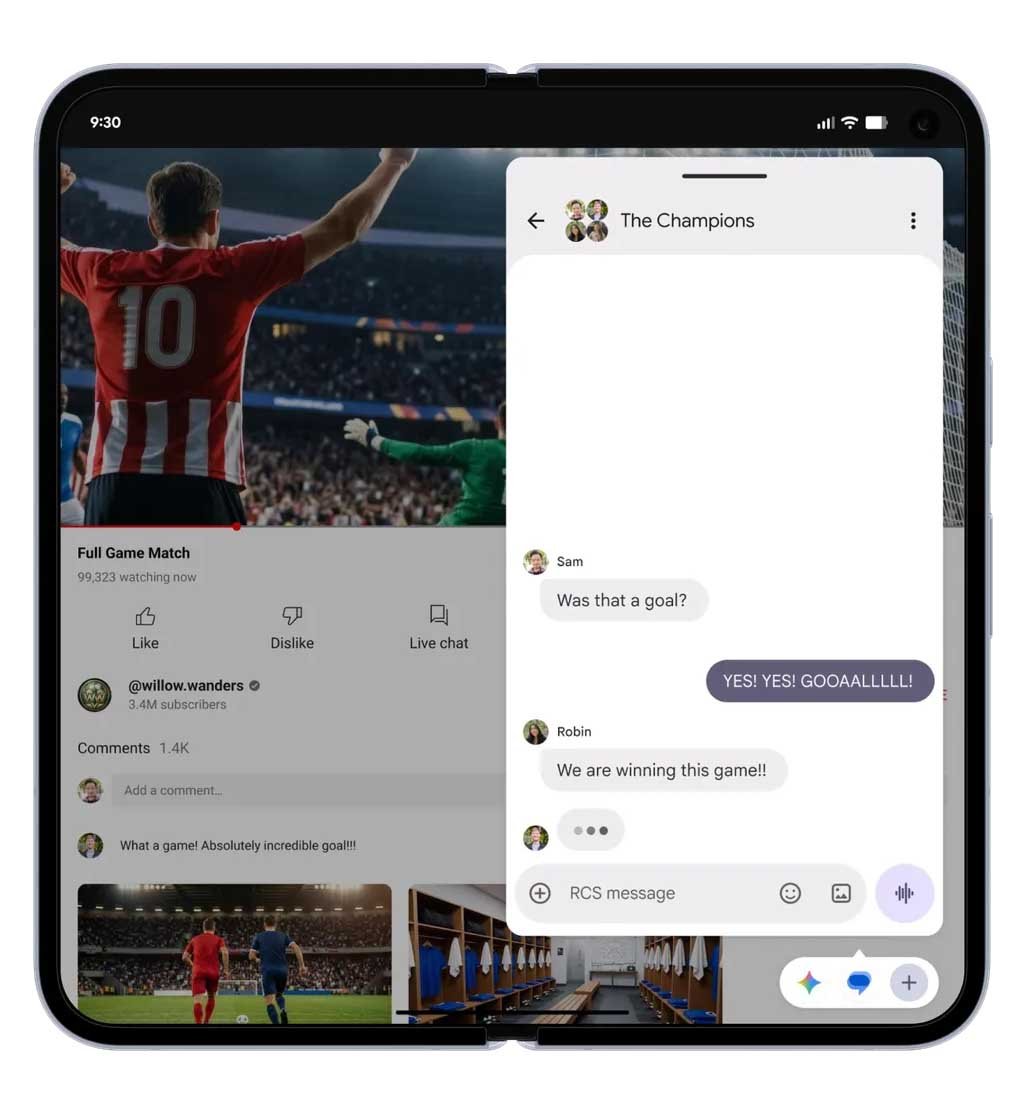
You can turn any app into a compact, floating window to maintain the flow of your work or entertainment. Just long-press any app icon, and it will take the shape of a bubble, appearing on top of the other applications.

(Image Credits: Google)
2. Screen Reactions
Android 17 enables users to share screen reactions – no need for third-party apps. In a few simple taps, record yourself via the device’s selfie camera and at the same time, capture your phone’s screen.
3. Enhanced gaming on foldable
Google has also focused on optimizing gaming scenarios on foldable devices – the most needed capability. The new foldable gaming mode can turn one part of the foldable (one side screen) into a real estate screen where you are battling and winning.

(Image Credits: Google)
The other part can act as a gaming console remote. It’s more like a 50/50 layout with a game view on top and a gaming pad below. It will be available in the coming months.
4. Security and Privacy
Now users can grant temporary access to apps for their precise location and share only specific contacts. You will also get “Mark as Lost” in Find Hub to lock a missing phone with your biometrics. So don’t worry if a thief has your password; your phone is still safe.
5. Improvements
Google improves the Live Threat Detection to block more suspicious apps as well as scams. It enhances the Advanced Protection mode that keeps you safe from sophisticated threats. It also reduces the number of times someone can guess your PIN.

(Image Credits: Google)