Honor is pushing the MagicOS 11 Early Access version to selected devices and tipsters have started posting the real-life images of the new OS, showcasing its Liquid Glass UI for the first time. While the official images already showed the amazing interface, these shots reveal how it will appear in real-world scenarios.
DigitalChatStation has shared a bunch of hands-on images, showing the first glimpse of the MagicOS 11 Liquid Glass UI. Let’s take a look at these real shots one by one.
The tipster has shared six shots showing the Liquid Glass UI effect for the Quick Settings, home screen, lock screen, widgets, icons, and a transparency mode.
A glance at these images indicates that MagicOS 11 has quite identical effects to iOS. Inputs suggest that the system rendering of the screen and animations in real-time are smoother and more fluid than the previous software versions.
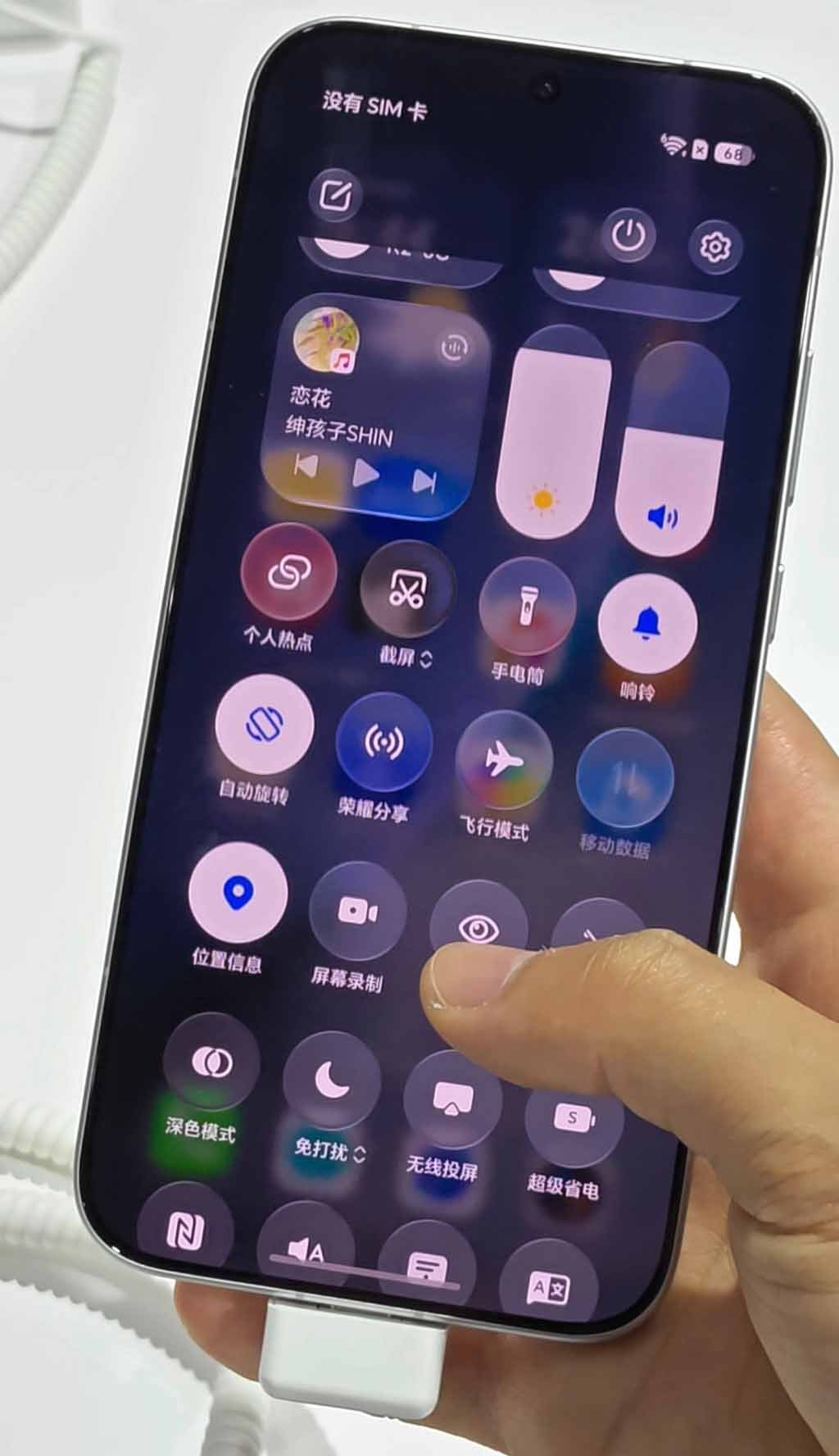
1. Quick Settings
This particular section looks more intuitive in the MagicOS 11 Early Access version. The icons and the entire panel in the Control Center appear slightly transparent, showing the blurred home screen in the background.
Music player, brightness, and volume adjuster look clear and at the same time, give a blurry effect. Turning on any feature from these icons reflects a very light blue shade.

(Image Credits: Weibo)
2. Home Screen
The home screen hypes a flowy scenery. The small and large folders packed with icons show a blurry, transparent design, highlighting the app icons in a better way.
Notably, the images reveal a special “Transparency Mode” that lets you select between a completely static wallpaper and a Liquid Glass UI design for the home screen. You can adjust the transparency by simply moving the adjuster bar.

(Image Credits: Weibo)
3. Lock Screen Widgets
While opening a device, the first interaction we have with is the lock screen. MagicOS 11 UI design gives a beautiful glowy effect with transparency. The time clock and other widgets on the lock screen appear blurred while the main content, say time, is clearly visible.

(Image Credits: Weibo)
4. Dock Bar
A dock bar is a fixed row of app icons and services at the very bottom of the phone’s screen. Unlike regular sections, the dock remains visible even if you leave the screen page.
With MagicOS 11, Honor has blurred the dock bar, ensuring that it does not obstruct the content on the screen and, at the same time, offers instant services when required.

(Image Credits: Weibo)
5. Multitasking Pop-Up Menu
The pop-up panel, like the home screen edit section or the music player, shows light and shadow changing synchronously. It is further combined with an ambient light adaptive algorithm that auto-adjusts the glass reflection.

(Image Credits: Weibo)
All UI elements in MagicOS 11 use dynamic fluid materials. While sliding the page, clicking controls, or switching apps, the interface generates real-time light and shadow refraction + fluid flow formation.