Huawei is readying a new Game Assistant app with some interesting and significant features for its smartphones. The company will likely unveil this application with HarmonyOS 6.1, and currently, it has shed light on changes implemented in the app.
The company has recently shared a new HarmonyOS 6.0 update for its top flagship phones. As per the changelog, this firmware with the HarmonyOS 6.0.0.328 SP58 build version brings new features and improvements to the devices.
At the same time, the update reveals more new features of the upcoming Huawei Game Assistant app. The OEM announced this app at the onset of this month. Now it is clearing the air regarding the changes to this application over the previous version.
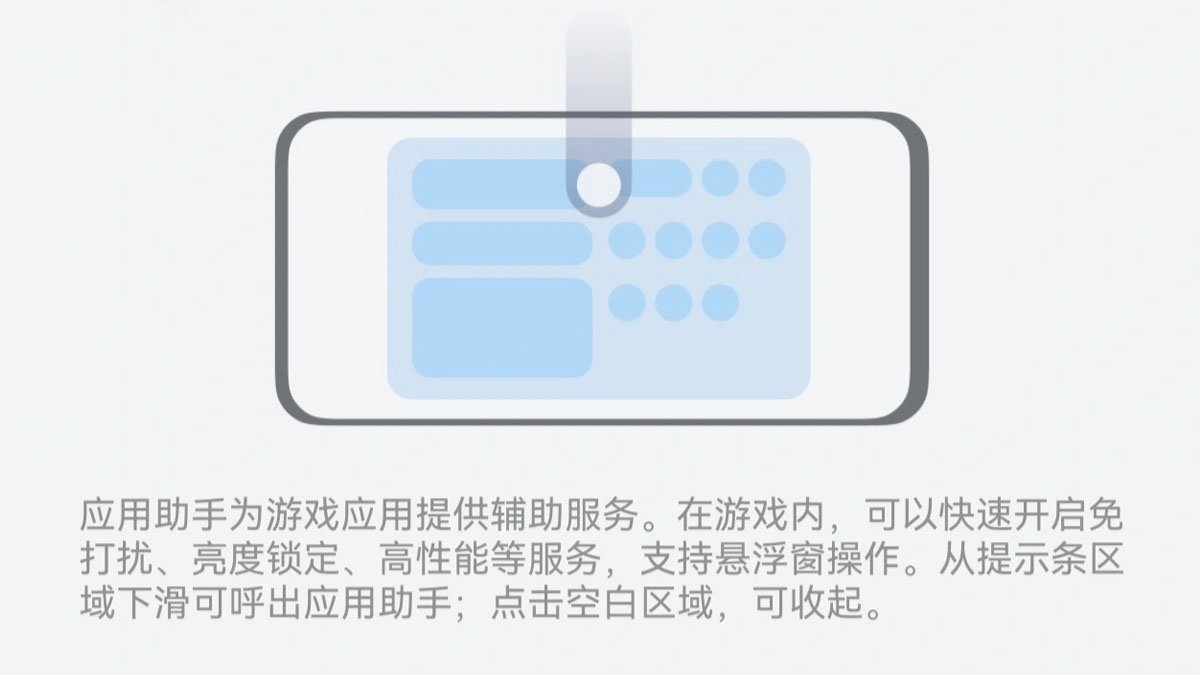
Details suggest that the Huawei Game Assistant app will enable users to quickly enable or disable the high-performance mode. This specific tool in phones can boost the CPU and GPU processing and increase speed for demanding tasks like gaming.
Instead of looking for the particular mode, the new application may enable users to quickly turn it on or off through some gestures or an easily accessible button.
On the greener side, the new Game Assistant app will bring special services like circles (probably a friend group), gaming activities, gift packs, and more. It will also support quick access to certain chatting apps like WeChat and QQ.
Some other enhancements to this new application include knuckle touch block, Do Not Disturb Mode, Screenshot, Screen recording, Smart Voice Control (supported by limited games at present), and brightness adjuster.
How to access the Game Assistant?
Huawei smartphone users can visit Settings > System > Game Assistant to access its settings page. One can also try pulling down the search section on the home screen of a phone or tablet and entering the Game Assistant app.

(Image Credits: Huawei)
The post Huawei reveals more features of the upcoming Game Assistant app appeared first on Huawei Central.